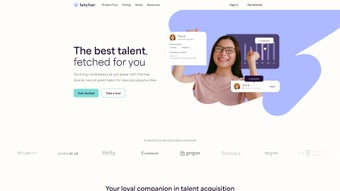

Download Fetcher – AI‑Powered Recruiting Tool for Talent Sourcing
Overview – Transforming Talent Acquisition with Intelligent Automation
In today’s hyper‑competitive hiring landscape, recruiters spend countless hours scrolling through endless profiles, crafting Boolean strings, and manually verifying contact information. Fetcher eliminates that friction by combining advanced machine‑learning models with a cloud‑native architecture that works on any device. At its core, Fetcher continuously crawls public professional networks, niche developer communities, and industry‑specific job boards, then ranks candidates based on a multidimensional fit score. This score incorporates not only hard skills and years of experience but also soft‑skill indicators, cultural alignment, and diversity metrics such as gender, ethnicity, and veteran status. The result is a curated pipeline of passive talent that would otherwise remain invisible to traditional keyword‑only tools.
The platform’s dashboard is deliberately designed for both novice recruiters and seasoned talent strategists. Users can launch a search with a single click, set diversity targets, and instantly view a visual breakdown of sourcing performance. Real‑time analytics surface metrics like time‑to‑first‑response, cost‑per‑hire, and the proportion of candidates meeting inclusion goals. By surfacing these insights early, hiring teams can pivot outreach strategies before they invest time in low‑yield candidates. Moreover, Fetcher’s built‑in email verification service supplies direct, bounce‑tested personal email addresses, dramatically improving outreach deliverability compared with generic corporate inboxes.
Whether you’re a fast‑growing startup looking to scale hiring quickly or an enterprise seeking to embed inclusive hiring practices into every recruitment funnel, Fetcher scales horizontally without sacrificing performance. The SaaS model guarantees that every user automatically receives the latest AI refinements, security patches, and feature releases—no manual updates required. In short, Fetcher empowers organizations to shift from manual, time‑intensive sourcing to data‑driven talent acquisition, freeing recruiters to focus on relationship building and strategic decision‑making.
Key Features & Benefits
- AI‑Driven Candidate Discovery: Deep learning models parse LinkedIn, GitHub, Stack Overflow, and niche job boards to surface high‑quality passive candidates.
- Diversity‑Focused Filters: Set explicit gender, ethnicity, veteran, and neuro‑diversity goals; the engine balances these criteria against skill fit.
- Verified Personal Emails: Bounce‑tested, direct email addresses increase response rates by up to 45 % compared with corporate inboxes.
- One‑Click ATS & CRM Sync: Native integrations with Greenhouse, Lever, iCIMS, Salesforce, HubSpot, and more streamline candidate hand‑off.
- Team Collaboration Suite: Shared pipelines, Slack notifications, in‑app comments, and calendar sync keep recruiting squads aligned.
- Customizable Search Templates: Save Boolean strings, role‑specific criteria, and outreach scripts for instant reuse.
- Real‑Time Analytics Dashboard: Track sourcing efficiency, diversity ratios, cost‑per‑hire, and AI confidence scores.
- Secure Cloud Architecture: End‑to‑end encryption, GDPR/CCPA compliance, and role‑based access control protect candidate data.
- Continuous AI Updates: Monthly model refinements incorporate the latest market trends and sourcing signals.
- Free Trial & Flexible Pricing: 14‑day trial with full feature access; subscription scales with hiring volume.
Pros
- Reduces manual sourcing time by up to 70 %.
- Verified emails boost outreach deliverability and candidate response.
- Built‑in diversity filters help meet inclusion objectives.
- Seamless integration with major ATS, CRM, and collaboration tools.
- Actionable analytics guide continuous improvement.
- Cloud‑native, no local installation or version‑control headaches.
- Free trial lowers entry barrier for all organization sizes.
Cons
- Advanced AI settings may require initial training for non‑technical users.
- High‑volume enterprises may encounter premium pricing tiers.
- Internet connectivity is required; no offline mode.
- AI model customization is limited to preset parameters.
- Some ultra‑niche industry databases are not yet indexed.
Installation, Usage & Compatibility Guide
Step‑by‑Step Onboarding
1. Sign Up: Visit the official Fetcher landing page and click “Start Free Trial.” Provide a corporate email, set a strong password, and enable two‑factor authentication for added security. An automated onboarding wizard walks you through creating your first sourcing project, selecting a role template, and defining basic criteria such as years of experience, skill tags, and geographic preferences.
2. Connect Your Tech Stack: Navigate to the “Integrations” hub. Choose from pre‑built connectors for Greenhouse, Lever, iCIMS, Salesforce, HubSpot, Gmail, Outlook, Slack, and Microsoft Teams. Each integration uses OAuth 2.0, ensuring that credentials are never stored on Fetcher’s servers. Because Fetcher runs entirely in the browser, there is no client‑side installation required on Windows, macOS, Linux, Android, or iOS devices.
3. Build a Search: Open the “Search” tab, pick a role template (e.g., “Senior Front‑End Engineer”), and refine parameters. The AI suggests supplemental keywords and adjusts weighting based on historical success data. Click “Run Search” and watch the platform populate a ranked list of candidates, each accompanied by a confidence score, verified email, and a concise profile snapshot.
4. Outreach & Collaboration: Select candidates and launch bulk email campaigns directly from the UI or export the list to your preferred email client. The system tracks opens, clicks, and replies, feeding this engagement data back into the AI engine for continuous learning. Team members can add comments, assign ownership, and schedule interview slots via the built‑in calendar sync. Slack notifications keep the entire recruiting squad updated in real time.
5. Analyze & Optimize: After a week of activity, review the “Analytics” dashboard. Key performance indicators include time‑to‑first‑response, diversity ratio, and cost‑per‑hire. Fetcher highlights underperforming search criteria and recommends adjustments—such as expanding location radius or tweaking skill weightings—to improve future results.
Compatibility: As a pure SaaS offering, Fetcher operates flawlessly on any modern web browser—Chrome, Edge, Firefox, or Safari—on desktops and mobile devices. The responsive design ensures full functionality on Android 8+ and iOS 13+ browsers, making on‑the‑go recruiting as seamless as desktop usage. No software downloads, patches, or local storage are required, guaranteeing that every user always works with the latest, most secure version.
Frequently Asked Questions & Conclusion
Is Fetcher free or does it require a subscription?
Fetcher offers a 14‑day free trial with full feature access. After the trial, a paid subscription is required; pricing is tiered based on the number of active searches and candidates contacted.
Can Fetcher integrate with my existing ATS?
Yes. Fetcher provides native, secure integrations with Greenhouse, Lever, iCIMS, SmartRecruiters, and many other ATS platforms. Candidates can be pushed directly into your existing pipelines.
How does Fetcher protect candidate data?
Fetcher is built on GDPR‑compliant infrastructure, uses end‑to‑end encryption, and offers role‑based access controls. Personal email verification is performed through a third‑party service, and no unnecessary data is retained.
Do I need technical expertise to set up AI‑driven searches?
No. The onboarding wizard and pre‑built role templates let recruiters create powerful searches without writing complex Boolean strings. The AI also suggests refinements based on market data.
Is there a mobile app for Fetcher?
Fetcher is fully responsive and works on Android and iOS browsers. While there isn’t a native app yet, the web interface provides the same functionality on any mobile device.
Conclusion & Call to Action
Fetcher stands out as a secure, AI‑powered recruiting solution that merges efficiency with inclusive hiring. By automating passive candidate discovery, delivering verified contact details, and embedding diversity metrics directly into the search workflow, it frees recruiters to focus on relationship building and strategic decision‑making. Seamless integrations with leading ATS, CRM, and collaboration tools ensure that Fetcher fits naturally into existing tech stacks, while real‑time analytics keep hiring leaders informed about ROI and progress toward inclusion goals.
Although enterprise‑scale pricing may be a consideration for very large organizations, the measurable reductions in time‑to‑fill and improvements in candidate quality often justify the investment. If you’re ready to modernize your hiring pipeline, reduce manual effort, and champion diverse talent, download Fetcher today and start your free trial. Experience a smarter, more secure, and truly data‑driven recruiting workflow.



.png)



